
Schedules
How one-time and recurring schedules are stored and read, with the cron syntax Whatomato accepts and how sunrise and sunset are worked out.
A message is sent once at a set moment, or on a recurrence. A recurrence is one of two kinds: a cron expression, or a time that follows the sun. Everything the schedule builder offers is stored as one of those two.
Time zones
Section titled “Time zones”Every message stores an IANA time zone, such as Asia/Dhaka. The web app uses the zone of the browser the message was created in, and edits and duplicates keep it.
- A recurrence reads its days and clock times in that zone.
- A one-time message is stored as an absolute moment. Its zone decides how variables such as
{{time}}read.
An agent that leaves the zone out gets UTC.
Cron expressions
Section titled “Cron expressions”A cron expression has exactly five fields, separated by spaces:
minute hour day-of-month month day-of-week0 9 * * 1-5 is 9:00 on Monday to Friday. Minutes are the finest unit, on purpose. Six-field forms with seconds and shorthands such as @daily are refused.
| Field | Values | Also accepts |
|---|---|---|
| Minute | 0 to 59 | * , - / |
| Hour | 0 to 23 | * , - / |
| Day of month | 1 to 31 | * , - / ? L W |
| Month | 1 to 12, or JAN to DEC | * , - / |
| Day of week | 0 to 7, or SUN to SAT; 0 and 7 are both Sunday | * , - / ? L # + |
| Syntax | Meaning | Example |
|---|---|---|
* |
Every value | * * * * * is every minute |
, |
A list | 0 9,17 * * * is 9:00 and 17:00 |
- |
A range | 0 9 * * 1-5 is weekdays |
/ |
A step | */15 * * * * is every 15 minutes |
L in day of month |
The last day of the month | 0 9 L * * |
W in day of month |
The weekday nearest that day | 0 9 15W * * |
L in day of week |
The last such weekday of the month | 0 9 * * 5L is the last Friday |
# in day of week |
The nth such weekday of the month | 0 9 * * 1#1 is the first Monday |
? |
The same as * |
When both day fields are set
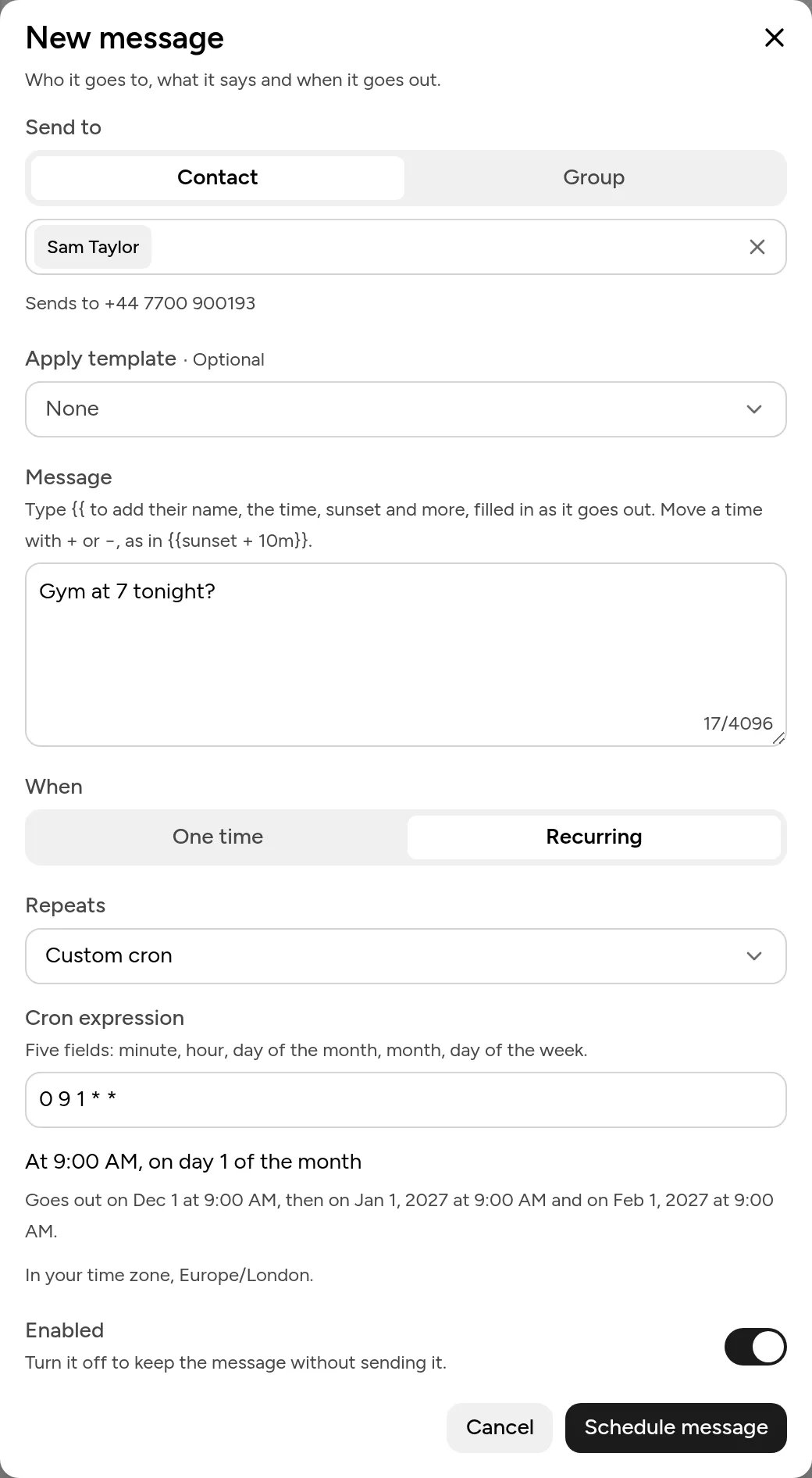
Section titled “When both day fields are set”Giving both a day of the month and a day of the week matches either, as in classic cron. 0 9 1 * 1 is 9:00 on the 1st of the month and on every Monday. To require both, put + before the day of the week: 0 9 1 * +1 is 9:00 on the 1st only when it is a Monday.
What’s refused
Section titled “What’s refused”- Anything that isn’t five fields.
- An expression that never matches a date, such as
0 0 31 2 *. - From an agent, anything that would send more often than once an hour. You can schedule as often as every minute from the web app.
A recurrence that stops matching, such as one fixed to a single year, is switched off after its last run.
Daylight saving
Section titled “Daylight saving”A clock time stays on the clock: 9:00 is 9:00 before and after a change. On the day clocks go forward, a time that doesn’t exist sends at the first valid minute after the gap. On the day they go back, a time that happens twice sends once, the first time.
An expression with a wildcard or a step in its minute or hour field, such as every 15 minutes, skips the missing hour and runs through the repeated one twice.
The sentence under a custom expression
Section titled “The sentence under a custom expression”The form describes a schedule in words as you type. A valid expression that uses the rarer syntax, W or + for instance, can show “That isn’t a schedule yet.” and still save, because the sentence and the check come from different libraries. The list of next send times is the one to trust.
Sun schedules
Section titled “Sun schedules”A sun schedule sends at sunrise or sunset, or a set number of minutes before or after it.
| Part | Values |
|---|---|
| Event | Sunrise or sunset |
| Offset | Whole minutes, up to 12 hours either way. The form offers 5 minutes to 2 hours. |
| Days | Which days it runs, as cron’s last three fields: day of month, month, day of week |
| Place | The time zone’s main city, or a latitude and longitude |
Sunrise is the moment the sun’s upper edge clears the horizon, and sunset the moment it drops below. Times are worked out on the server from the date and the place, to the nearest minute. Nothing is looked up online.
The place
Section titled “The place”By default the sun is watched from the main city of the message’s time zone, taken from the tz database. Use my location in the form sends your browser’s position instead, rounded to a tenth of a degree, about 10 km.
A zone with no city, such as UTC, has nothing to go by, so a sun schedule there needs a location.
Days and offsets
Section titled “Days and offsets”The days choose the day of the sunrise or sunset, not the day of the send. A message set for 7 hours before Sunday’s sunrise goes out late on Saturday.
Days with no sunrise or sunset
Section titled “Days with no sunrise or sunset”Near the poles the sun can stay up or down for weeks. A day without the event is skipped, and the schedule runs on the next matching day that has one.
Sun times need no daylight-saving handling: each day’s sunrise is a moment of its own.
For agents
Section titled “For agents”An agent passes a recurrence to schedule_message as one of these:
{ "type": "cron", "expression": "0 9 * * 1-5" }{ "type": "sun", "event": "sunset", "offset_minutes": 10, "days": "* * *", "place": { "latitude": 23.8, "longitude": 90.4 }}place may be null to use the time zone’s main city. See MCP tools.